 DevCat
AI workspace
Review and commit
See what the agent changed, ask for a code review, then commit just the files you want.
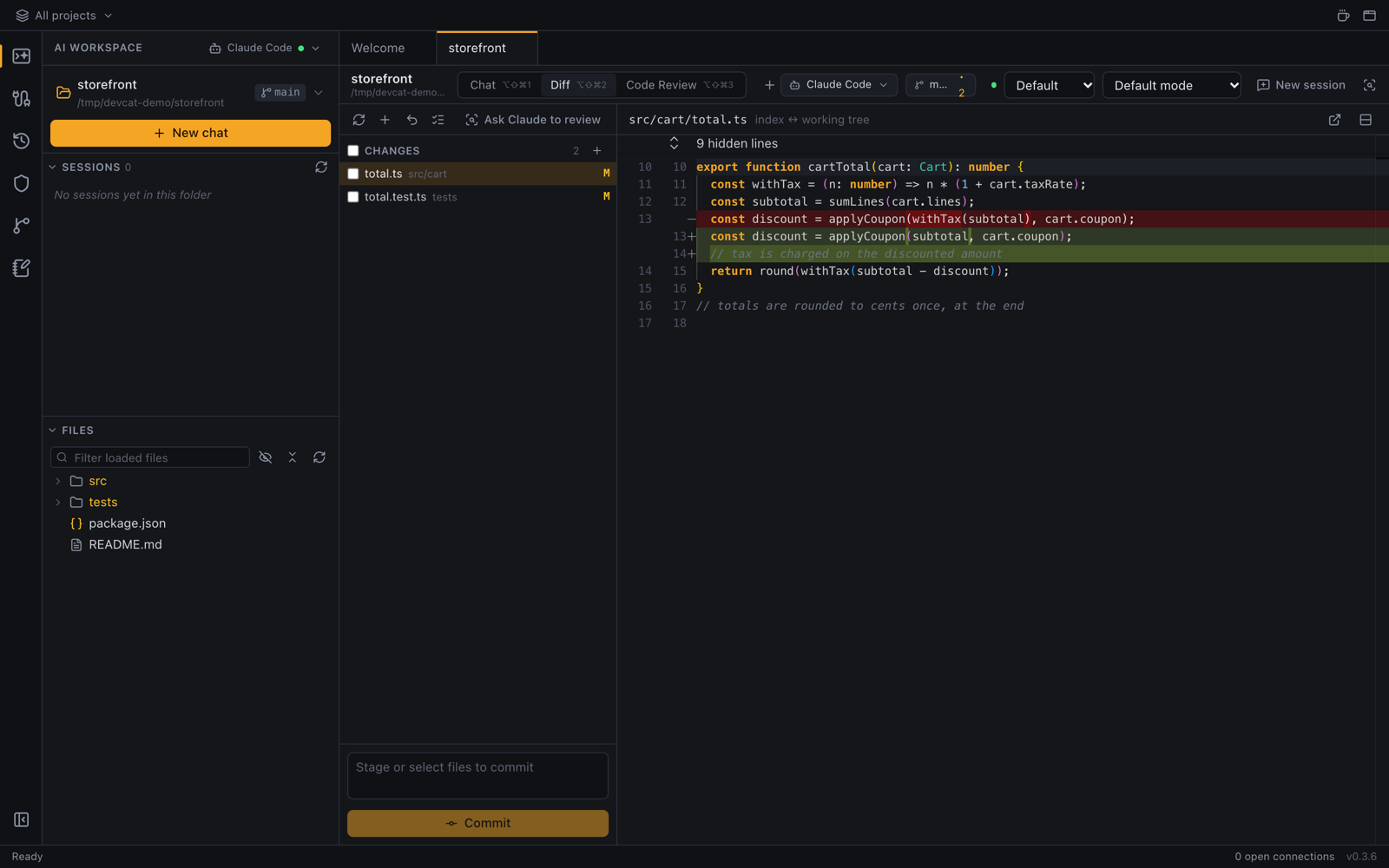
The Diff view
Open a chat tab and click Diff (⌥⇧⌘2). The left side lists the changed files in three groups: staged, changed and untracked (new). Click a file to see its diff, side by side or inline (the button above the diff switches). The list refreshes every few seconds while the tab is open.
- Stage or Unstage one file with the button on its row, or use Stage all / Unstage all.
- Discard changes on a file throws away the changes to it. Discard all changes… does it for every file, after asking.
- Open file opens the file in a preview tab.
Commit
- Tick the files to commit (Select for commit / discard). Only those are committed, and other staged changes stay staged. With nothing ticked, the staged files are committed.
- Type a commit message in the box under the list.
- Press ⌘↵ (Ctrl+Enter) or click Commit.
Ticked files can also be discarded together with Discard selected….
Code Review (Claude Code)
- Click Code Review (⌥⇧⌘3).
- Choose what to review: Uncommitted changes, Staged changes, or Branch vs base (pick the base branch).
- Click Run review.
Claude reads the changes without editing anything and lists findings by severity, each with a suggestion.
- Show in Diff jumps to the lines in question.
- Fix with Claude switches to the chat and asks Claude to fix that finding.