Your agents, repos, databases and clusters. One window.

DevCat runs Claude Code, Codex or Gemini in a real terminal next to the diff, the commit graph, your SQL editor and your Kubernetes pods. A free download for macOS, Windows and Linux.

Latest release on GitHub. No account needed.

What's in the window

Everything a project needs is a tab away, and DevCat keeps each project's connections, chats and repos together. The docs explain each part step by step.

Any coding agent, in a real terminal

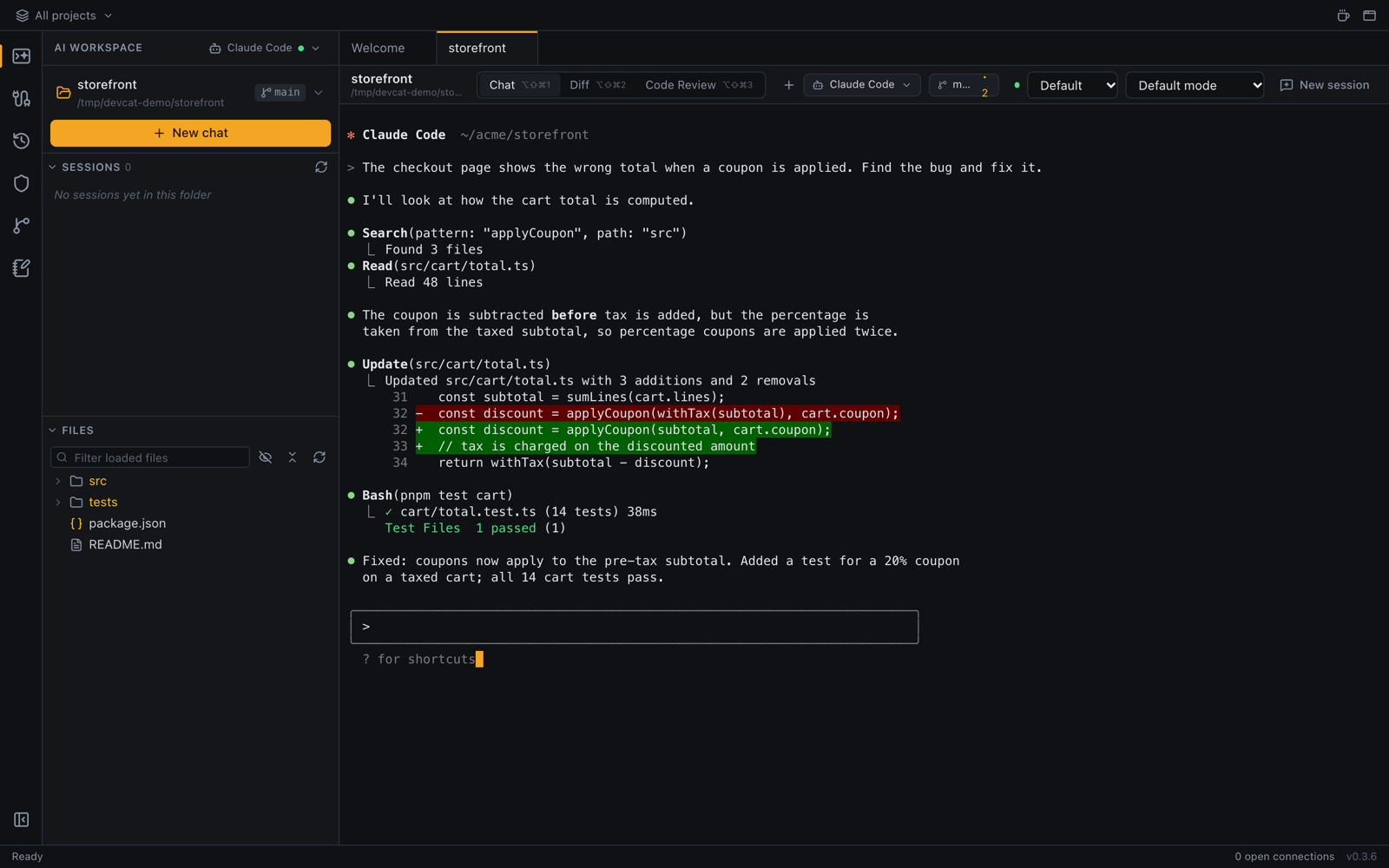
Claude Code by default, or OpenAI Codex, Gemini CLI, GitHub Copilot, Aider, opencode or your own CLI. DevCat runs the one you installed, with your own login.

Sessions are listed per project, so you can pick up yesterday's conversation in a click.

The AI workspace: a Claude Code session in a terminal, with sessions and the file tree on the left

See what the agent changed

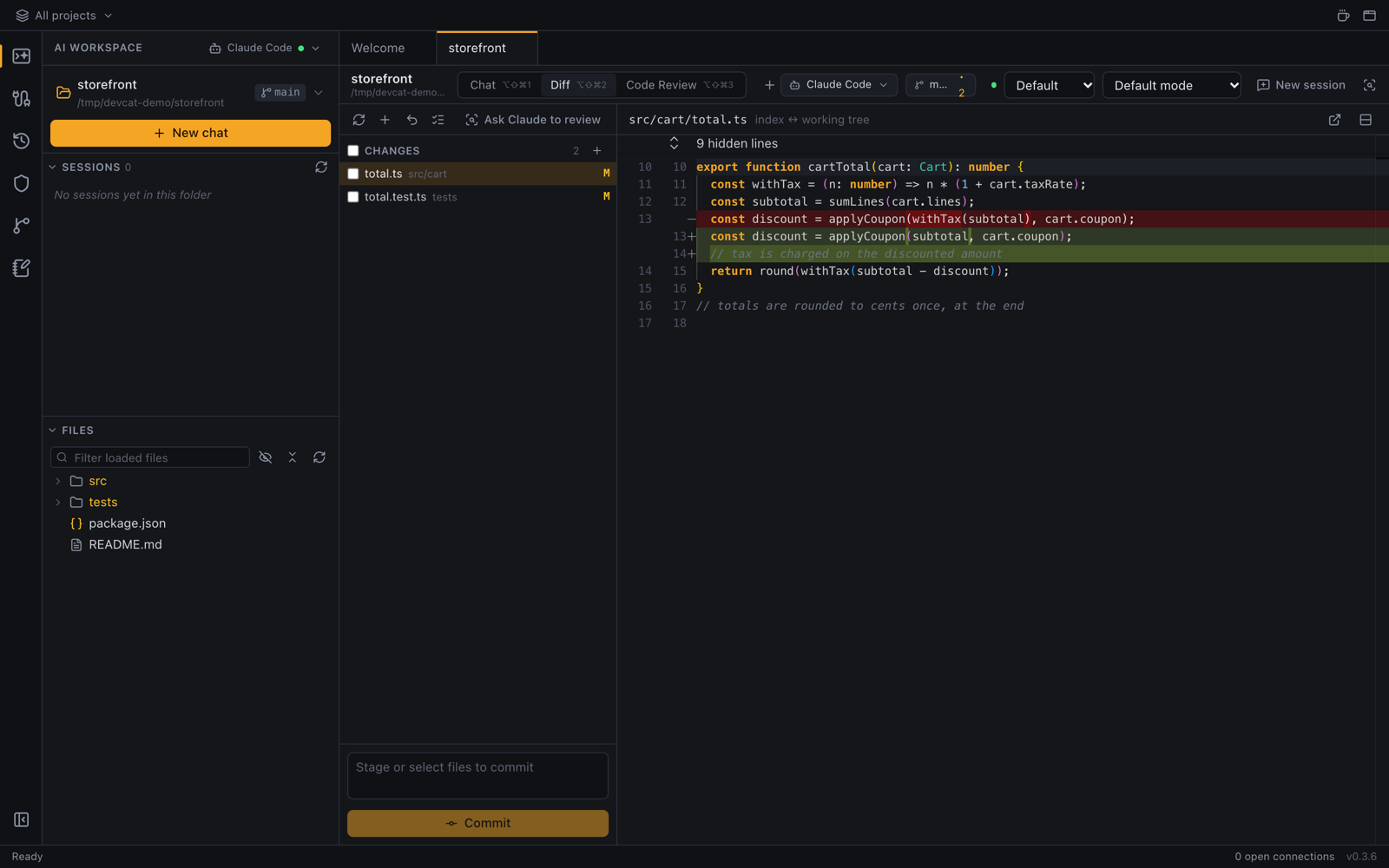
The Diff tab shows every change as it happens. Tick the files to commit and discard the rest.

Ask for a code review before you commit.

The Diff tab with changed files and a side-by-side diff

Every repo in a folder

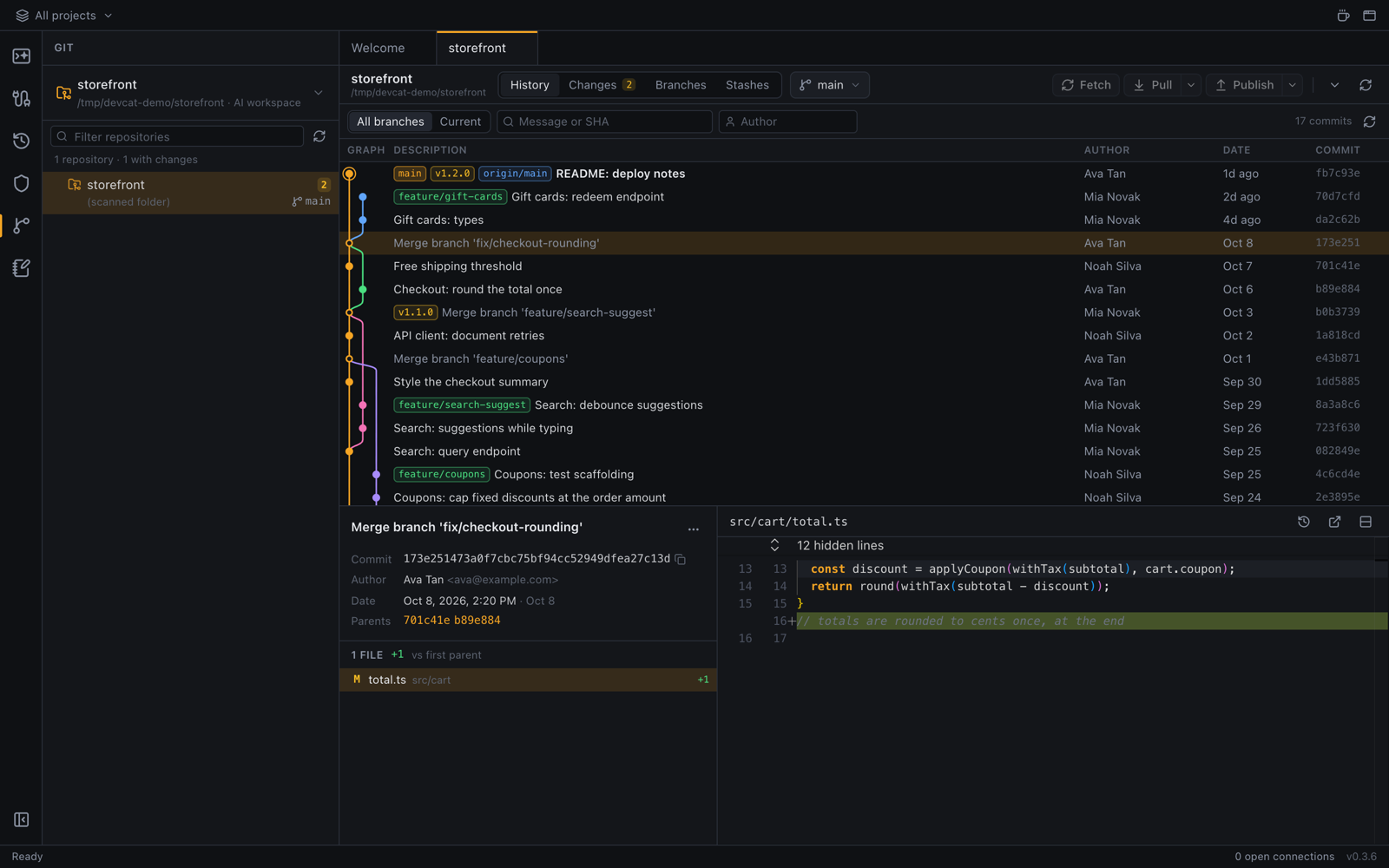
DevCat finds nested repositories and shows the commit graph, blame, branches, tags and stashes.

Fetch, pull and push from the same window.

The Git view with a commit graph and branch list

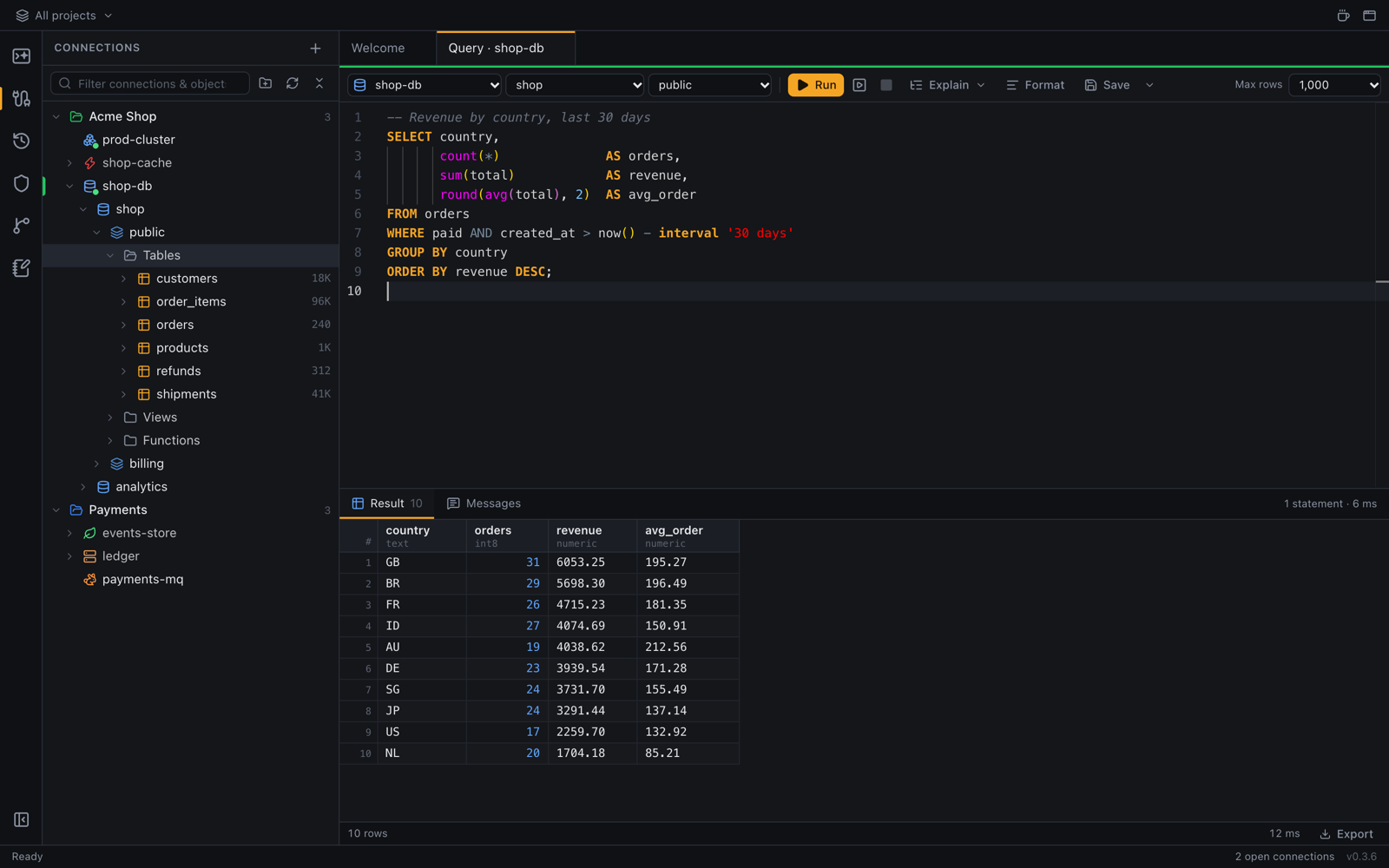
Your databases, with a proper SQL editor

PostgreSQL, MySQL and MariaDB, SQLite, SQL Server, MongoDB and Redis. Browse and edit tables, compare schemas and move data between them.

Connections go through SSH tunnels when they need to, and passwords stay in your system keychain.

The SQL editor with a query and its results

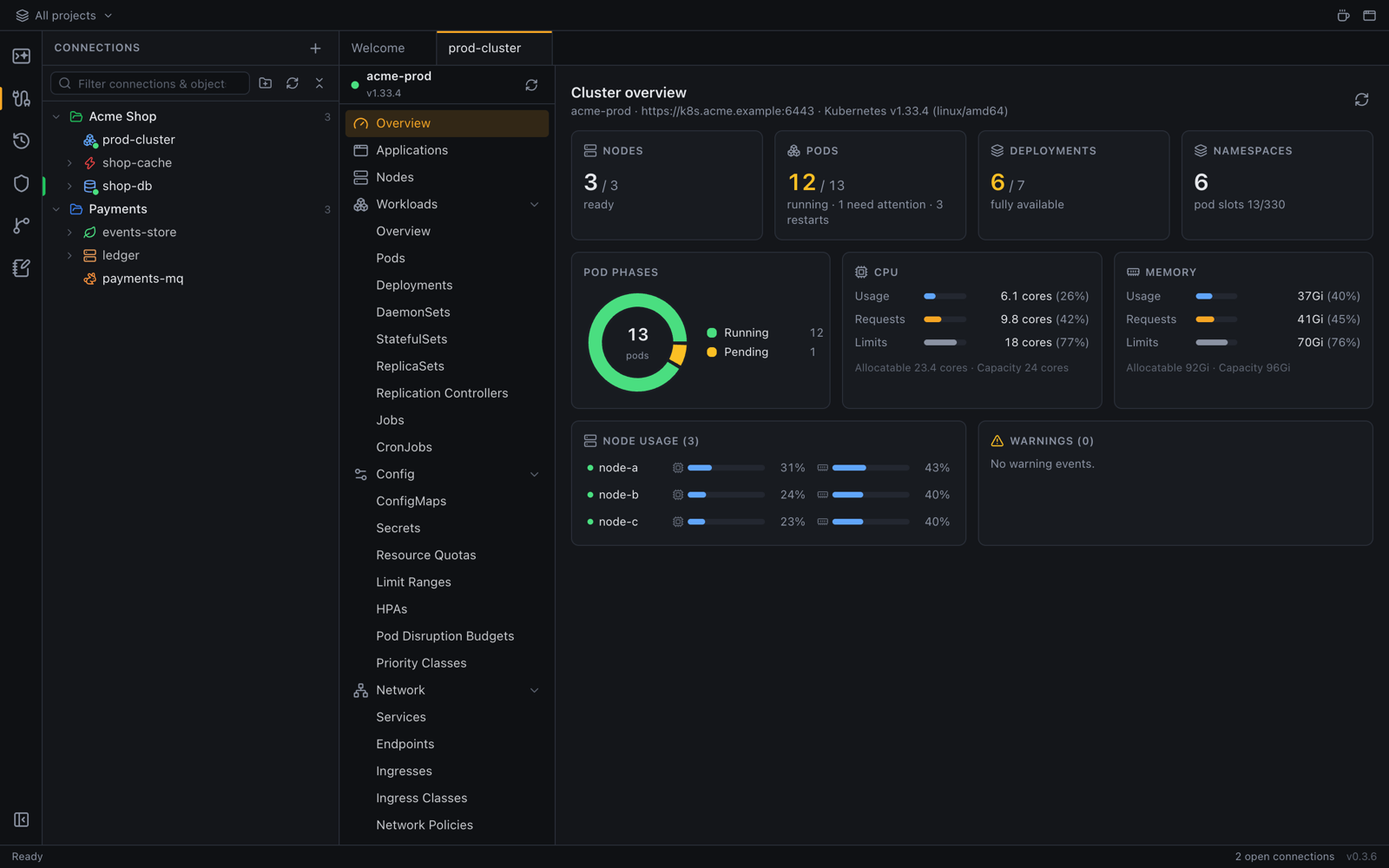
Clusters and queues

Kubernetes with any kubeconfig context: workloads, logs, a shell in any pod, port forwards and Helm releases. RabbitMQ through its management API.

The Kubernetes view with pods and their status

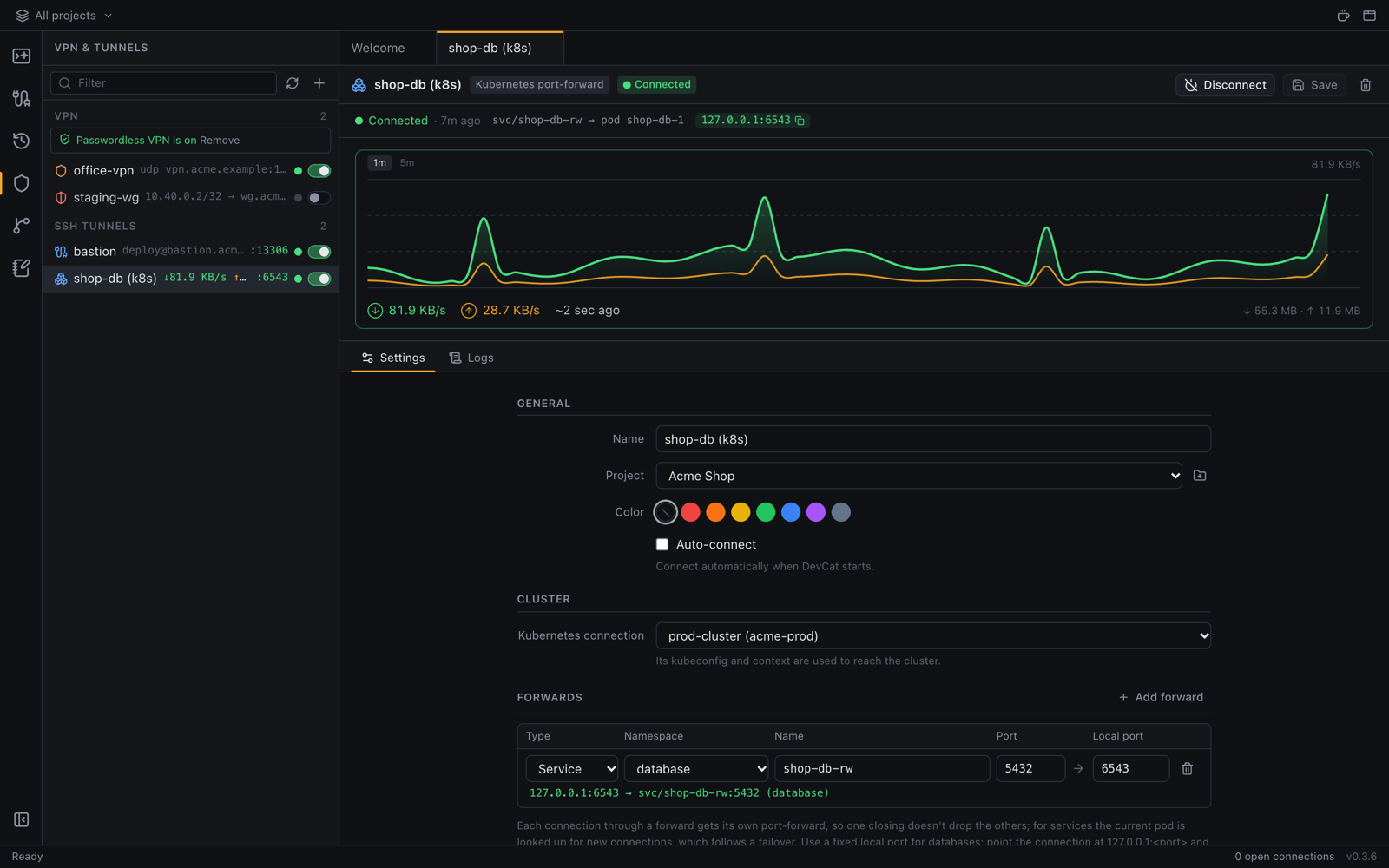
VPNs and SSH tunnels

OpenVPN, WireGuard and SSH forwards, including a SOCKS proxy, with live traffic for each.

The network view with VPN connections and SSH tunnels

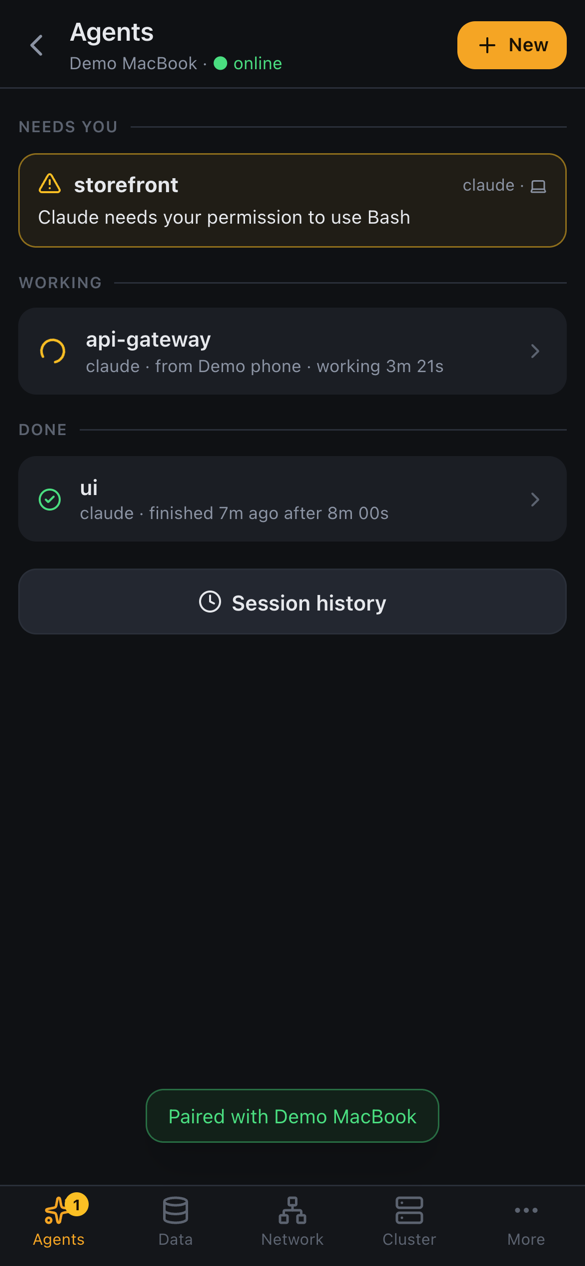
Answer your agent from your phone

DevCat Mobile for Android and iPhone gets a notification when an agent needs you, and lets you reply, run a query or check a pod.

It reaches your computer directly or through a relay that only passes encrypted traffic. There's no account to create.

DevCat Mobile listing the running agents

Install

Pick an installer from the latest release, or use a terminal. The scripts check the download's SHA-256 and install for your user only. New to DevCat? Start with First steps.

The app

macOS, with Homebrew
brew install --cask devileya/devcat/devcat
macOS, Linux
curl -fsSL https://devileya.github.io/DevCat/install.sh | sh -s -- --app
Windows PowerShell
& ([scriptblock]::Create((irm https://devileya.github.io/DevCat/install.ps1))) -App

Only the CLI

For servers and SSH sessions: devcat serve shares your agents and connections with DevCat Mobile or a browser, without a window.

macOS, Linux
curl -fsSL https://devileya.github.io/DevCat/install.sh | sh
Windows PowerShell
irm https://devileya.github.io/DevCat/install.ps1 | iex